
Download Onefac TPV Lite – POS system, inventory management, sales tracking, business management, retail software, POS app
Overview
Onefac TPV Lite is a mobile application designed to support small to medium-sized businesses in managing core operational tasks through a centralized digital platform. The app functions as a comprehensive business management tool, offering features related to sales, inventory, purchases, and client tracking. Its primary purpose is to streamline daily business activities, reduce manual errors, and improve operational efficiency. The app is especially useful for retail environments, service providers, and multi-location businesses that require real-time visibility into their operations.
Target users include shop owners, retail managers, and business operators who need a lightweight yet powerful tool to manage transactions and track inventory without relying on complex or expensive software. The app supports multiple sales points, allowing businesses with several locations to maintain consistent data across all sites. This makes it a practical solution for growing enterprises seeking scalable tools without a steep learning curve.
Although the developer, Onefac, did not provide additional background information, the app’s long-standing presence since its release on September 30, 2008, suggests a stable and tested product. The fact that it remains available and functional on Android devices indicates ongoing compatibility and basic maintenance. Onefac TPV Lite serves as a foundational tool in the mobile productivity ecosystem, offering a no-cost alternative for businesses that need essential business management capabilities without advanced features or cloud integration.
Key Features & Functionality
- User-Friendly Interface: The app features a clean, intuitive layout that enables users to switch between functions such as sales, inventory, and purchases with minimal effort. This design reduces training time and supports quick onboarding, particularly beneficial for non-technical staff.
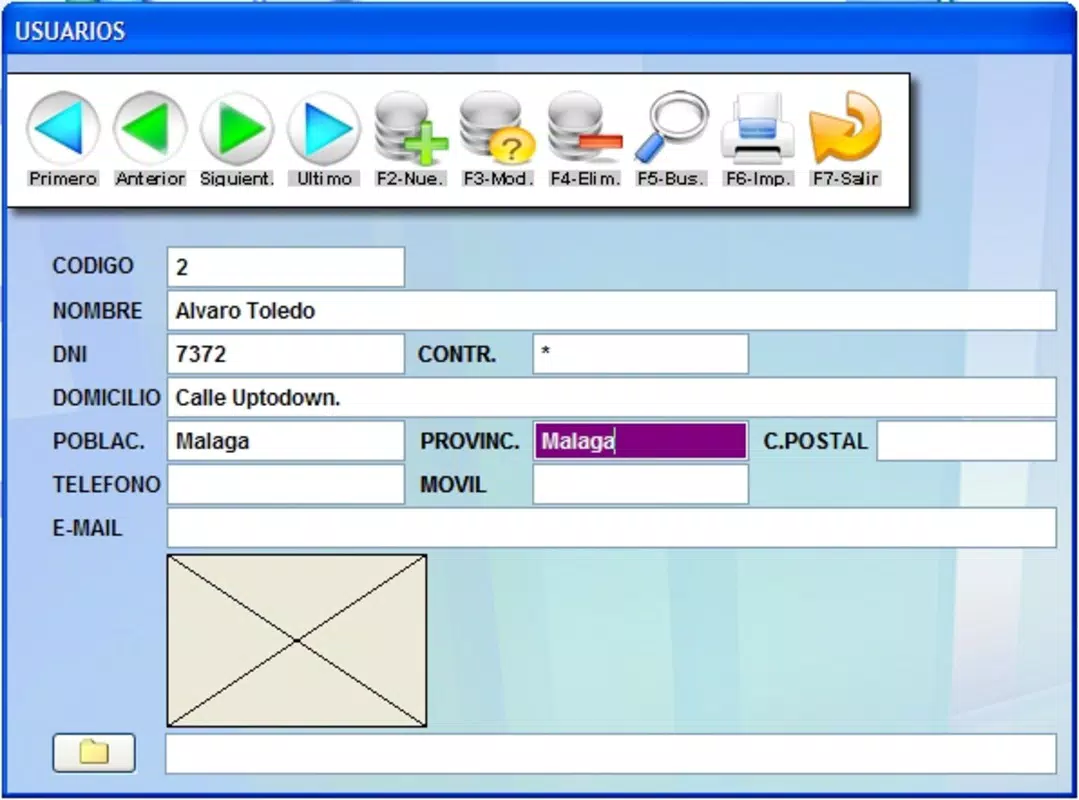
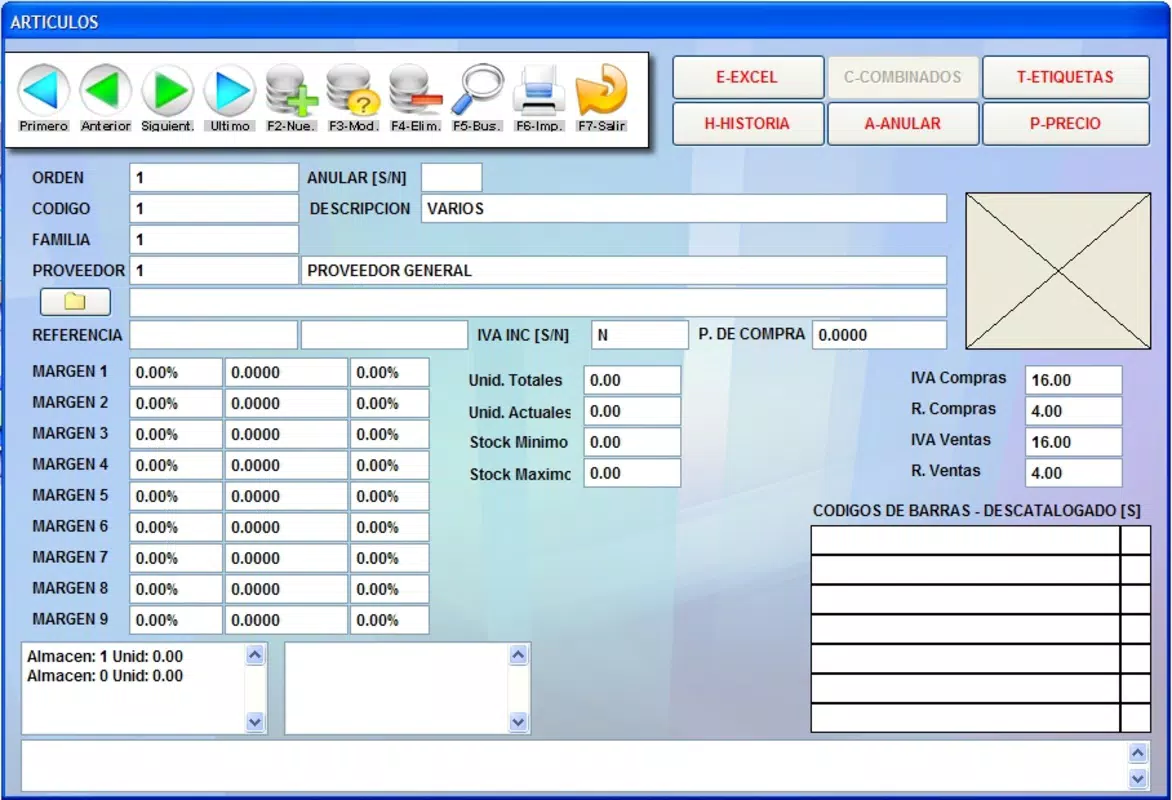
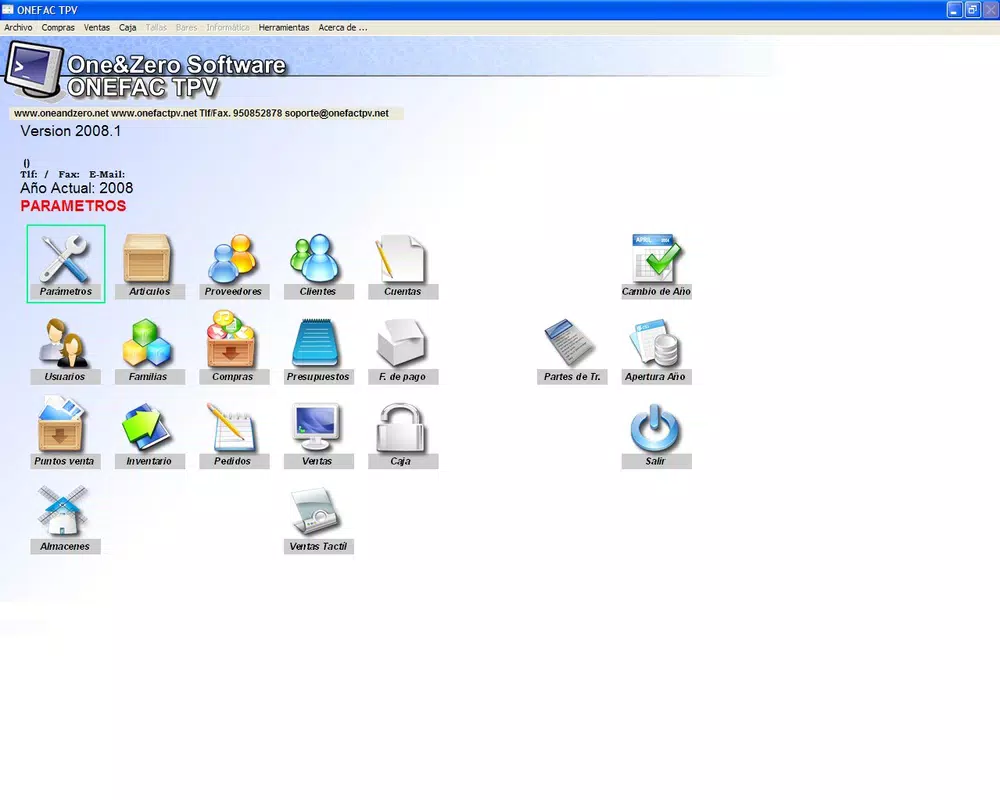
- Comprehensive Business Management: Onefac TPV Lite includes modules for managing items, vendors, clients, inventory levels, and cash registers. These components allow users to maintain accurate records and monitor business performance across key areas.
- Flexible Adaptation: The software is designed to be customizable, allowing users to adjust settings and workflows to match their specific business needs. This adaptability ensures that the app can be used across different industries, from retail to services.
- Multi-Store Compatibility: The app supports multiple sales points, enabling business owners to manage operations from different locations through a single interface. This functionality is particularly valuable for businesses with decentralized operations.
- Resource Efficient: With a file size of just 15.8 MB, the app is lightweight and optimized for performance on a wide range of Android devices. This ensures smooth operation even on older or low-spec hardware, enhancing accessibility for small businesses with limited budgets.
For example, a small retail shop can use the app to record daily sales, update inventory in real time, and generate reports on product performance. A multi-store business can manage stock levels across locations and ensure consistent pricing and promotions. The app’s ability to handle multiple sales points without requiring separate installations makes it a practical tool for distributed operations.
Interface, UX & Performance
Onefac TPV Lite presents a straightforward interface with clearly labeled menus and logical navigation paths. The layout prioritizes functionality over visual complexity, allowing users to access core features with minimal clicks. The visual style is utilitarian, focusing on readability and ease of data input, which supports efficient daily operations.
Navigation is consistent across all sections, with a bottom navigation bar or side menu that provides quick access to key modules. This design enhances usability, particularly in fast-paced retail environments where speed and accuracy are critical. The app responds promptly to user inputs, and transitions between screens are smooth, contributing to a stable user experience.
Although the developer did not list formal performance metrics, the app’s lightweight nature suggests it performs reliably on a variety of Android devices. It is likely optimized for low-memory environments, making it suitable for older smartphones or budget devices. The absence of reported crashes or instability in public records indicates a stable runtime, though no formal testing data was provided. Overall, the UX is designed for practicality, catering to users who prioritize function over aesthetics.
Platform Compatibility & Technical Requirements
Onefac TPV Lite is available exclusively on the Android platform. The app has a file size of 15.8 MB, which is compact and suitable for devices with limited storage capacity. It is currently listed as version 1.0.0, indicating a stable, foundational release.
The developer did not specify minimum OS requirements or compatibility details for specific Android versions. As a result, users should exercise caution when installing on older or newer Android systems. Compatibility with devices running Android 4.0 and above is plausible due to the app’s lightweight design, but this has not been officially confirmed. No information was provided regarding hardware requirements, such as RAM or processor specifications.
Given the app’s release date of September 30, 2008, it is possible that the app was originally designed for early Android devices. While it may still function on modern systems, users should monitor for potential compatibility issues, especially with updated Android security protocols or UI changes.
Pros and Cons
Pros
- Free to download and use, making it accessible for small businesses with limited budgets.
- Compact file size (15.8 MB) ensures low storage usage and fast installation.
- Supports multiple sales points, ideal for businesses with several locations.
- Intuitive interface reduces the learning curve for new users.
- Designed to be resource-efficient, suitable for older or low-end Android devices.
Cons
- Specific system requirements were not listed by the developer.
- No information was provided about cloud sync, data backup, or remote access features.
- Limited details on update frequency or long-term maintenance plans.
- Outdated release date raises questions about ongoing development and support.
- May not be compatible with newer Android versions without official updates.
FAQ
Is Onefac TPV Lite safe to install on Android?
Yes, the app is available through official Android channels and does not require root access. However, users should ensure they download it from trusted sources to maintain security.
Can I use Onefac TPV Lite on multiple devices?
Yes, the app can be installed on multiple Android devices. However, data synchronization between devices is not confirmed, so users should manage data manually.
Does Onefac TPV Lite support cloud storage or backup?
The developer did not provide information on cloud integration or data backup features. Users are advised to maintain local backups of their business data.
Is the app updated regularly?
There is no public information about the update schedule. Given the app’s release date in 2008, it may not receive frequent updates.
Can I use Onefac TPV Lite without an internet connection?
Yes, the app functions offline, allowing users to process sales and manage inventory without an active internet connection. However, syncing across devices may require connectivity.
Final Thoughts
Onefac TPV Lite remains a viable option for small businesses seeking a no-cost, lightweight solution for managing sales, inventory, and multiple locations. Its simple interface, low system requirements, and multi-store support offer practical benefits for operators who prioritize functionality over advanced features. While the app’s age raises concerns about long-term support and compatibility, its core functionality continues to serve basic business management needs.
For shop owners, retail managers, and entrepreneurs operating on a tight budget, Onefac TPV Lite provides a reliable foundation for daily operations. It’s particularly well-suited for environments where simplicity, speed, and device compatibility are more important than modern cloud-based tools.
Download Onefac TPV Lite now


